Can Fog Machines Damage Electronics? Yes – Here’s Exactly How
This post contains affiliate links. As an Amazon Associate, we earn from qualifying purchases.
Yes, fog machines can damage electronics through three main mechanisms: moisture causing short circuits and corrosion, a sticky residue that attracts dust and clogs cooling, and conductive particles that can bridge and short circuit traces. Using the wrong fluid or poor placement accelerates this damage.
Yes, fog machines can and do damage electronics. The primary mechanisms are moisture-induced short circuits and corrosion, sticky residue buildup that attracts dust and clogs cooling systems, and conductive particle contamination that can bridge circuit traces. Using the wrong fluid or poor placement turns a special effect into a repair bill.
Most people assume the fog is just harmless water vapor. They place a machine right next to a speaker stack or lighting controller. The real damage isn’t from a single blast. It’s from the invisible film that coats everything over an entire weekend gig.
This guide breaks down the exact physics of how fog ruins gear. You’ll get a clear comparison of fluid types, a step-by-step protection checklist, and the specific cleaning steps most rental houses skip.
Key Takeaways
- Moisture is the instant killer. Water droplets in fog can cause immediate short circuits on exposed circuit boards. Corrosion from that moisture eats copper traces over weeks.
- Residue is the slow destroyer. The propylene glycol in fog fluid leaves a sticky, hygroscopic film. It attracts dust, clogs fan vents, and leads to overheating failures months later.
- Fluid choice is non-negotiable. Only use water-based, electronics-safe fog fluid. Oil-based fluids and homemade mixes leave heavier residue and can void equipment warranties.
- Placement and ventilation are your first defense. Keep machines at least 10 feet from gear, never aimed at intakes, and always use fans to disperse fog quickly.
- Post-event cleaning is mandatory. Wipe down all gear exteriors with isopropyl alcohol after any fog exposure. Schedule internal cleaning for gear used in regular fog environments.
The 3 Ways Fog Actually Damages Electronics
Head design changes the entire process. Look at the business end of your trimmer.
Fog isn’t smoke. It’s a suspension of microscopic fluid droplets in the air. That fluid is typically water and propylene glycol. Each droplet is a potential problem for electronics, acting in three distinct ways.
Short circuits and corrosion happen first. When fog settles on a circuit board, the water content can bridge adjacent solder points or traces. This creates an unintended current path. You might see a glitch, a reboot, or complete failure. Even if it doesn’t short immediately, the water promotes galvanic corrosion. The copper on the board slowly turns to green powder. That process continues after the event ends, fueled by residual moisture.
Common mistake: Assuming a quick wipe-down is enough after fog use — corrosion works invisibly for weeks, and the first sign is often a dead input channel on a mixer that can’t be repaired.
Residue buildup is the most common long-term killer. Propylene glycol is hydroscopic. It pulls moisture from the air and stays slightly sticky. This thin, tacky layer coats every surface inside your gear, especially where air is moving. Dust and debris magnetically stick to it.
Fans and heatsinks clog. Airflow stops. Components like power amplifiers and LED drivers overheat and shut down prematurely. I once pulled the cover off a Chauvet DJ Hurricane 1300 fogger that had been used weekly with a cheap fluid. The internal cooling fan was immobilized by a grey, felt-like mat of dust and residue. The thermal cutoff had failed, and the heating element was weeks from burning out.
Conductive contamination is a less-known but real risk. Some lower-quality or old fluids can break down and leave behind conductive salts or carbonized particles on circuit boards. These can create phantom electrical connections, causing erratic behavior. This is different from a water short. It’s a permanent contamination that often requires board-level cleaning with specialized solvents.
| Damage Type | How It Happens | Likely Timeline |
|---|---|---|
| Short Circuit | Water bridges live circuits | Immediate during use |
| Corrosion | Moisture oxidizes copper traces | Days to weeks after exposure |
| Residue Clogging | Sticky glycol attracts dust, blocks airflow | Months of repeated use |
| Conductive Contamination | Fluid breakdown leaves salts on boards | After using degraded or poor-quality fluid |
TL;DR: Fog damages gear via water shorts, sticky dust-clogging residue, and conductive gunk. The timeline ranges from instant to months later.
Water-Based vs. Oil-Based: The Fluid Choice That Decides Your Risk
Not all fog fluids are equal. The base chemistry dictates the residue left behind and the severity of the risk.
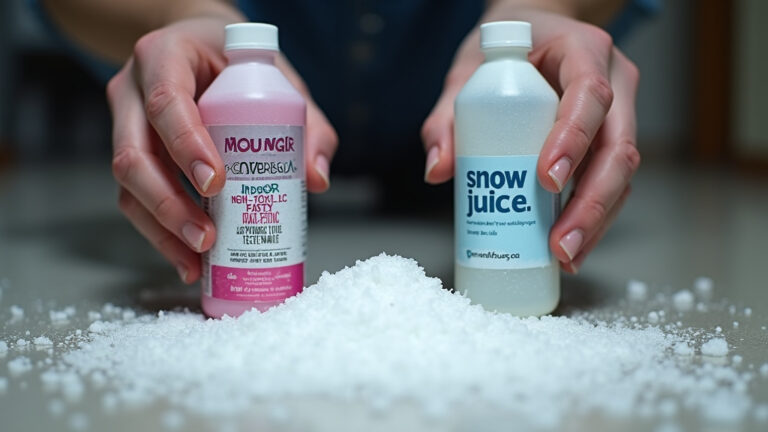
Water-based fluids are the standard for indoor entertainment. Brands like Rosco and Froggys dominate for a reason. They use a mixture of deionized water and propylene glycol. The water evaporates, leaving a minimal glycol film. That film can still cause problems, but it’s manageable with cleaning. These are often labeled “electronics-safe” or “non-corrosive.”
Oil-based fluids are a different beast. They use mineral oil or similar compounds to create a longer-lasting, denser haze. The effect is dramatic and persistent. The residue is an oily slick. It doesn’t evaporate. It attracts dust more aggressively and is much harder to clean off. Using an oil-based fluid near a rack of amplifiers is asking for every fan to seize within a season. These fluids are common in permanent installations like haunted houses but are a terrible choice for road gear.
Hazer fluids are a subcategory of water-based fluids. They are designed to aerosolize into even finer particles that hang in the air longer. The residue is typically lighter than standard fog fluid, but the prolonged presence in the air means it has more opportunities to settle inside equipment. The choice between a hazer and a fogger is often about the visible effect versus the intrusion risk.
A proper water-based fog fluid from a brand like Rosco costs more per gallon than a generic brand. That extra cost is the price of the purity testing and corrosion inhibitors that keep your mixer’s channels alive.
| Fluid Type | Best For | Residue Level | Risk to Electronics |
|---|---|---|---|
| Water-Based (Standard) | General indoor events, stage shows | Light to Moderate | Medium – Managed with cleaning |
| Water-Based (Hazer) | Lighting effects, long-duration haze | Very Light | Low-Medium – Can infiltrate small openings |
| Oil-Based | Permanent installations, outdoor effects | Heavy, Oily | High – Clogs and coats aggressively |
| Dry Ice (CO2) | Low-lying fog, no residue desired | None | None – But requires special equipment |
Your fluid choice is the single biggest variable you control. Using a quality fog juice designed for your machine is the first rule of defense. Never pour in incorrect additives like essential oils or try using water alone. That guarantees damage.
How to Protect Your Electronics: A Practical Checklist

Protection is a sequence, not a single action. You need to address the machine, the environment, and the gear itself.
Before the event:
- Fluid Verification: Use only manufacturer-recommended, water-based fluid. Check the bottle for “non-corrosive” labeling. This is not the place to save three dollars.
- Machine Inspection: Ensure your fog machine is clean. A dirty machine with residue buildup in its heat exchanger will spit out larger, wetter droplets. Perform basic cleaning a fog machine protocol with a vinegar solution if it’s been sitting.
- Venue Scout: Identify the placement of all sensitive electronics – mixing consoles, powered speakers, lighting controllers, projectors. Plan your fog machine location to be downwind of their air intakes.
- Barrier Preparation: Have plastic sheeting or heavy-duty trash bags on hand to quickly drape over any gear that cannot be moved if fog direction changes.
During the event:
- Placement Rule: Keep the fog machine at least 10 feet from the nearest piece of electronic gear. Never point the output nozzle directly at a vent or grill.
- Ventilation Command: Use floor fans to actively disperse the fog. You want it to mix with air and dissipate, not settle. Good airflow is the enemy of condensation.
- Operational Discipline: Use short bursts rather than a continuous output. Let the haze build gradually. This gives the venue’s air handling system a chance to work and minimizes localized saturation.
- Monitor: Periodically feel the exhaust grilles on your amplifiers and consoles. If they feel hotter than usual, it’s a sign airflow is already being impeded. Reduce fog output immediately.
Before you start: Fog fluid is slippery. Spills on floors create a major fall hazard. The machine’s heating element and exhaust tube remain scalding hot for over 30 minutes after shutdown – serious burn risk. Always place the machine on a stable, level surface away from foot traffic.
After the event:
This is the most skipped step. It’s also the most important for longevity.
1. Power down and unplug all exposed gear.
2. Wipe all exterior surfaces with a microfiber cloth lightly dampened with 90% isopropyl alcohol. Pay special attention to vents and connectors.
3. For gear used in constant fog environments (like a club’s house system), schedule a quarterly internal cleaning. Compressed air can blow out loose dust, but a professional service with specialized cleaners is needed for the glycol film.
4. Always practice proper fluid storage. Never leave fluid in the tank for long periods, as this accelerates fluid degradation and makes the machine itself a source of gunk.
TL;DR: Protect gear by choosing safe fluid, placing the machine 10+ feet away, using fans to disperse fog, and cleaning every piece of equipment with isopropyl alcohol after exposure.
What About Hazers? Are They Safer for Gear?
Hazers are often marketed as a cleaner alternative. The truth is more nuanced.
A hazer produces a finer particle size than a traditional fogger. These micron-sized droplets stay suspended longer, creating a uniform haze rather than a billowing cloud. Because the particles are finer and drier, they are less likely to immediately precipitate as liquid water on your gear. This reduces the risk of instant moisture shorts.
However, the trade-off is infiltration. Those tiny particles can drift deeper into equipment through smaller openings. They can settle on circuit boards deep inside a powered speaker or lighting fixture where surface wiping never reaches. The residue from a high-quality hazer fluid like Rosco Fluid 1700 is designed to be minimal, but it is not zero.
The safety of a hazer comes down to fluid quality and exposure time. A hazer running for eight hours straight in an enclosed club will still coat everything in a fine film. A fogger might dump more moisture in a short burst, but a hazer provides a constant, low-level exposure. For a one-night event, a hazer is generally the lower-risk choice. For a permanent install, both require a rigorous cleaning schedule.
The machine itself also matters. Cheap hazers can have poor atomization, producing uneven droplets that behave more like fog. Investing in a reputable hazer (like an MDG Atmosphere or Antari HZ-500) is an investment in your other equipment’s health. It ensures a consistent, fine output that minimizes wetting.
The Specific Electronics Most at Risk
All electronics are vulnerable, but some are critical failures waiting to happen.
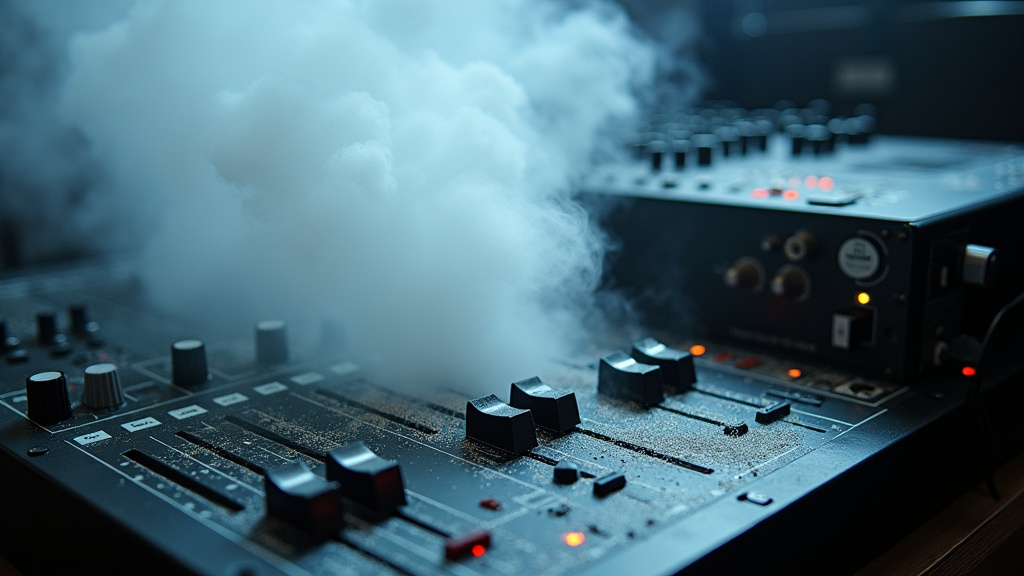
Audio Equipment: Mixing consoles are the number one victim. Their large surface areas, multiple circuit boards, and cooling fans are residue magnets. The faders and potentiometers get gritty and scratchy. Powered speakers are next, as their internal amplifiers generate heat and rely on clear airflow through clog-prone vents.
Lighting and Projection: Moving-head lights have sensitive servo motors and optical sensors. Residue on position sensors causes jittery movement. Fog directly on a hot projector lens can cause thermal shock and cracking. LED video walls have intricate power supplies that overheat if their vents are blocked.
Computers and Media Players: These are often forgotten but are equally susceptible. Fog residue on motherboard components can cause memory errors or USB port failures. Dust buildup inside a media server from sticky air intakes is a common cause of overheating and shutdown during a show.
The rule is simple: if it has a circuit board, a fan, or a vent, fog is its enemy. Treat it accordingly.
Frequently Asked Questions
Can fog damage my speakers and microphones?
Yes. For speakers, the primary risk is residue clogging the port or passive radiator, altering the sound, and overheating the voice coil. For microphones, moisture and residue can degrade the diaphragm’s sensitivity and cause corrosion on the internal wiring. Dynamic mics are more resistant than condenser mics, which have active electronics.
Does using a fog machine void my electronics warranty?
Very often, yes. Most manufacturer warranties exclude damage from “environmental contaminants” or “foreign substances.” If you send in a mixer with sticky residue on the boards, the repair center will flag it as user-inflicted damage and charge you for the repair.
How do I clean sticky fog residue off my gear?
For exteriors, use 90% isopropyl alcohol on a microfiber cloth. For internal components, this is a job for a professional technician with contact cleaners like CRC QD Electronic Cleaner. Do not use water, window cleaner, or compressed air alone, as these can spread the residue or force it deeper into components.
Are “low-fog” or “dry ice” effects safer?
Effects using dry ice (solid CO2) are generally residue-free, as the fog is just water vapor condensed by cold air. This is much safer for electronics. However, the specialized chillers or dry ice machines required are more expensive and complex to operate than standard foggers.
How far away is a safe distance for a fog machine?
minimum of 10 feet is a good rule of thumb. However, the real metric is placement relative to airflow. The machine should never be upwind of your gear’s air intakes. If you can feel a direct draft from the fogger hitting your equipment, it’s too close.
The Bottom Line
Fog machines damage electronics through moisture, sticky residue, and contamination. The risk is real and often delayed.
You control the outcome by your choices. Buy professional fog fluids made for electronics. Position the machine with intent, not convenience. Clean your gear after every single use, not just when it looks dirty. That discipline separates a working rig from a rack of expensive, silent boxes.
The effect is worth it. The repair bill isn’t.